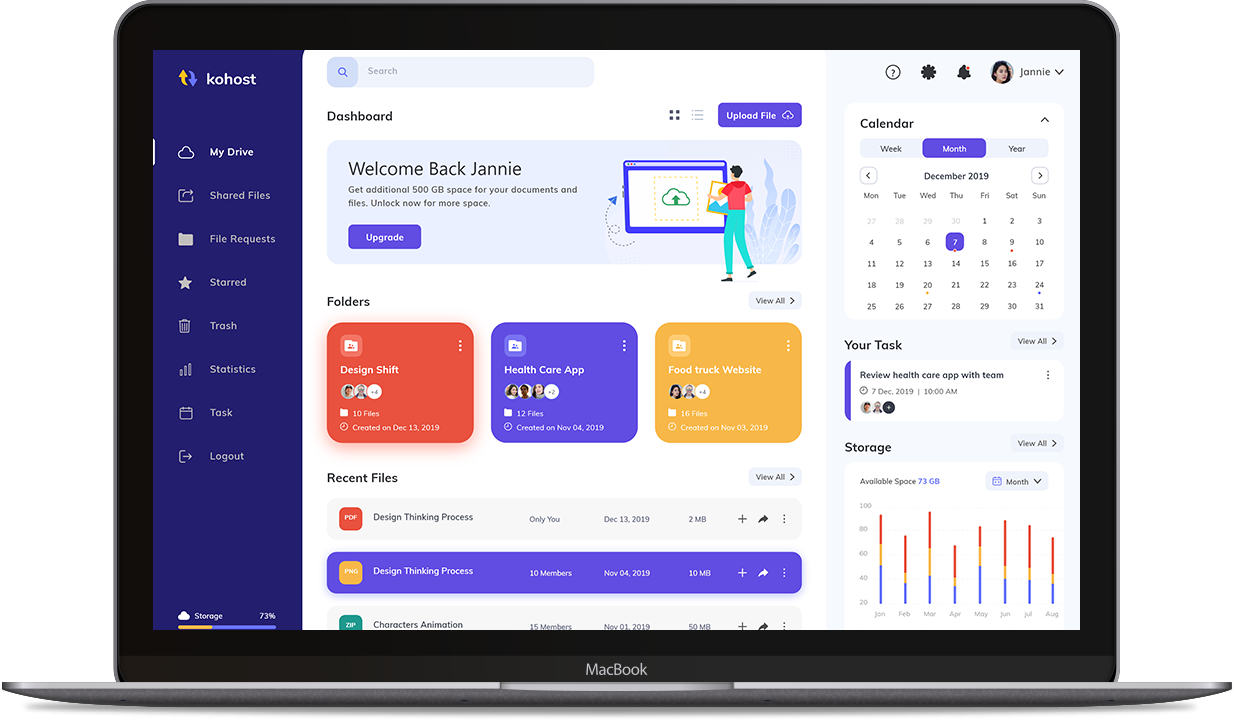



E-commerce: Your Gateway to Online Shopping
- Free 14-day trial
- No credit card required
E-Commerce
Modules
Admin Dashboard
- Manage products & inventory
- Process orders & payments
- Analytics & sales reports
Vendor/Seller Login
- List & manage products
- Track sales & revenue
- Manage store profile
Customer Login
- Browse & purchase products
- Track order status
- Manage wishlist & reviews
Delivery Partner Login
- View delivery assignments
- Update delivery status
- Track earnings & routes
Clientele
Discover How We've Transformed Businesses Together.

E-COMMERCE
-
E-commerce software, also known as an e-commerce platform, is a digital solution that enables businesses to create and manage online stores for selling products or services over the internet. It provides a comprehensive set of tools and features to facilitate the entire e-commerce process, from storefront creation to order fulfillment. Here's a more detailed explanation:
-
Storefront Creation
E-commerce software allows businesses to establish their online presence by creating customizable digital storefronts. This storefront serves as the digital storefront where customers can browse, search for, and purchase products or services.
-
Product Management
It provides tools to efficiently manage product listings. Businesses can add, edit, and organize product information, including images, descriptions, prices, and inventory levels. They can categorize products for easy navigation and search.
-
Shopping Cart and Checkout
E-commerce software includes a shopping cart feature that allows customers to select products and add them to their cart while continuing to browse. When ready to complete their purchase, customers proceed to the checkout, where they review their selections and provide shipping and payment information.
-
Payment Processing
This software integrates with various payment gateways, allowing secure and efficient payment processing. Customers can make payments using credit cards, digital wallets, bank transfers, and other accepted payment methods. Security is a paramount feature to protect sensitive customer information during transactions.
-
Inventory and Order Management
E-commerce software helps businesses keep track of their inventory. It notifies when products are running low, automates reorder processes, and ensures accurate stock levels. Order management features include the ability to process orders, generate shipping labels, and manage returns and exchanges.
-
Customer Relationship Management (CRM)
Many e-commerce platforms include CRM tools that enable businesses to collect and manage customer data. This data helps in understanding customer behavior, preferences, and purchase history, facilitating personalized marketing and customer support.
Payroll System
-
A Payroll System integrated into a School ERP (Enterprise Resource Planning) system is essential for managing the payroll process efficiently and accurately for school staff, including teachers, administrators, and support staff. Here's a description of the key features and functionalities of a Payroll System in a School ERP:
-
Employee Information
Maintain comprehensive employee profiles, including personal details, contact information, employment history, and tax-related information.
-
Salary Components and Deductions
Define salary components, including base salary, allowances, bonuses, and overtime pay. Set up deductions for taxes, insurance, retirement plans, and other employee contributions.
-
Payroll Calculation
Automate payroll calculations based on predefined rules and formulas, considering factors like attendance, leave, and overtime. Handle complex salary structures and multiple pay scales.
-
Taxation and Compliance
Automatically calculate income tax, social security contributions, and other deductions based on local tax regulations. Generate tax reports and ensure compliance with tax laws.
-
Leave Management Integration
Integrate the payroll system with the leave management module to adjust salaries for absences or leaves taken by employees.
-
Salary Advances and Loans
Track and manage salary advances, loans, and deductions for employees who avail such benefits.
-
Payroll Processing Automation
Automate the payroll processing schedule, including payment frequency (e.g., monthly, bi-weekly) and direct deposit options.
-
Payslips and Payroll Reports
Generate digital payslips for employees, providing a detailed breakdown of earnings, deductions, and net pay. Create payroll reports for record-keeping and auditing purposes.
-
Leave Balances
Display leave balances and accruals on payslips or through employee self-service portals.
-
Mobile Access
Provide employees with mobile access to view their payslips and payroll-related information on the go.
-
Integration with HR and Attendance
Seamlessly integrate the payroll module with HR and attendance modules to ensure accurate salary calculations based on attendance and leave data.
Communication and Alerts
-
A Communication and Alerts System integrated into a School ERP (Enterprise Resource Planning) is essential for facilitating effective communication and keeping all stakeholders, including students, parents, teachers, and administrators, informed about important events, updates, and announcements. Here are the key features and functionalities of a Communication and Alerts System within a School ERP:
-
Multi-Channel Communication
Enable communication through various channels, including email, SMS, push notifications, in-app messages, and web portals. Reach stakeholders through their preferred communication methods.
-
Personalized Messaging
Allow for personalized communication, addressing individuals or specific groups. Use templates for common messages, such as announcements or newsletters.
-
Event and Announcement Management:
Create and schedule events, announcements, and reminders for various school activities, including meetings, exams, and extracurricular events. Attach documents or links to provide additional information.
-
Academic Updates
Automatically send academic updates, including exam schedules, results, and grade reports, to parents and students. Provide real-time access to academic progress reports.
-
Emergency Alerts
Implement an emergency alert system to instantly notify stakeholders in case of emergencies, such as school closures or safety incidents.
-
Attendance Alerts
Automatically send attendance alerts to parents when their child is marked absent or late. Notify parents of attendance trends and patterns.
-
Message Logs and History
Maintain a log of all sent and received messages for auditing purposes. - Enable users to access message history and track interactions.
Certificate Module
-
In a School ERP system, the Certificate Module is responsible for managing and generating various types of certificates, including character certificates, transfer certificates, and bonafide certificates. Here's a description of each type of certificate:
-
Character Certificate
A character certificate is typically issued by a school to vouch for the character, behavior, and conduct of a student during their time at the institution. The certificate includes the student's name, date of birth, class/grade, and enrollment dates. It provides an assessment of the student's behavior, attitude, and conduct while enrolled at the school. Customization: The certificate template can be customized to include specific details and school branding. Character certificates are often required for various purposes, such as admission to other educational institutions, job applications, or visa applications.
-
Transfer Certificate
A transfer certificate, also known as a TC, is issued when a student intends to leave the school and join another institution. It confirms that the student was enrolled at the school and provides relevant academic and personal details. It may include academic achievements, marks obtained, and other relevant academic information. Similar to a character certificate, it may include an assessment of the student's behavior and conduct. The reason for leaving the school is specified, and the date of issuance is mentioned. Transfer certificates are essential when students move to new schools to provide evidence of their previous academic record and character.
-
Bonafide Certificate
A bonafide certificate, also known as a bona fide letter, is issued to confirm that a student is genuinely associated with the school and is currently enrolled. It may be required for various purposes, such as applying for scholarships, opening a bank account, or participating in external competitions. It confirms that the student is currently enrolled at the school. Purpose: The specific purpose for which the bonafide certificate is required may be mentioned. Bonafide certificates serve as official proof of a student's enrollment and can be used for various official purposes. The Certificate Module in a School ERP system streamlines the generation and management of these certificates, ensuring accuracy, security, and compliance with regulatory requirements. It simplifies the process for school administrators and provides convenient access to authentic certificates for students and their guardians when needed.
Timetable
-
Timetable Module in a School ERP system is a powerful tool for efficiently scheduling classes, assigning teachers and classrooms, and managing the complexities of educational timetables. It helps optimize resource allocation, reduce scheduling conflicts, and ensure a smooth academic operation. Here are the key features and functionalities of an advanced Automatic Timetable Module:
-
User-Friendly Interface
An intuitive and user-friendly interface for administrators and staff to create, view, and manage timetables.
-
Integration with Academic Data
Seamless integration with other school ERP modules, including student information, teacher details, courses, and classroom availability.
-
Multiple Timetable Generation Algorithms
Support for different timetable generation algorithms, such as genetic algorithms, simulated annealing, or manual adjustment, to suit the school's preferences.
-
Customizable Constraints
Define and customize scheduling constraints, including teacher preferences, subject prerequisites, room capacities, and time slot preferences.
-
Teacher Allocation
Automatically assign teachers to classes and subjects based on their qualifications, availability, and preferences. Ensure fair distribution of teaching assignments among the faculty.
-
Room Allocation
Assign classrooms based on subject requirements, class size, equipment availability, and special needs. Avoid conflicts and double bookings.
-
Class/Section Management
Manage class/sectin offerings, including elective subject and their availability in the timetable. Set up prerequisites and co-requisites for class.
-
Automatic Conflict Resolution
Detect and resolve scheduling conflicts, such as teacher clashes or room overlaps, to generate a conflict-free timetable.
-
Period Rotation
Implement period rotation to distribute classes and subjects evenly across different time slots and days of the week.
-
Block Scheduling
Support block scheduling for longer classes or lab sessions. - Ensure proper allocation of resources for specialized courses.
-
Revision and Optimization
Allow for manual adjustments and revisions by administrators to fine-tune the timetable as needed. - Re-optimize the timetable after making changes.
-
Real-Time Updates
Provide real-time updates and notifications to teachers, students, and staff members about changes in the timetable.
-
Reporting and Analytics
Generate reports and analytics on timetable utilization, resource allocation, and scheduling efficiency. - Identify bottlenecks or areas for improvement.
-
Substitute Teacher Assignment
Automatically identify suitable substitute teachers based on subject expertise, availability, and qualifications. Assign substitute teachers to cover classes during the teacher's absence.
-
Class Rescheduling
Automatically adjust the timetable to accommodate teacher absences and substitute teacher assignments. Ensure that affected classes are rescheduled without conflicts.
-
Substitute Teacher Scheduling
Enable substitute teachers to view their assignments, class schedules, and lesson plans through a dedicated portal or mobile app. Provide access to necessary teaching materials and resources.
Empower your online business with e-commerce software.
E-commerce software: the digital foundation for businesses, offering secure transactions, tailored marketing, and responsive design to transform visitors into loyal customers.
Features of E-commerce
- Storefront Creation
- Product Management
- Shopping Cart and Checkout
- Payment Processing
- Inventory and Order Management
- Customer Relationship Management (CRM)
- Responsive Design
- Analytics and Reporting
- Security and Fraud Prevention
- Search Engine Optimization (SEO)
- Customization and Scalability
- Multi-language and Currency Support
- Mobile Commerce
- Customer Support and Resources
- Third-party Integrations
- Social Media Integration
- Wishlist and Favorites
- Mobile Analytics
- Return and Exchange Management
- Loyalty and Rewards Programs